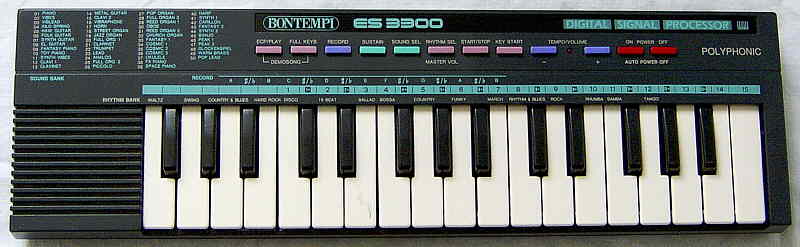
| Bontempi ES 3300 | sick sounding sound bank keyboard with absurdly crappy lo-fi rhythms |
Despite it has 50 fancy named preset sounds, they all sound similar and are made from a few static digital waveforms (each 2 mixed sine waves?) with very few and primitive volume envelopes. All sounds are infested with strong digital aliasing noise and have audible zipper noise. In unmodified state this thing yells ear tormentingly loud out of its tinny speaker unless you turn volume lower, but this makes the sound even worse because the digital volume control steals bits from the low resolution DAC.
The digital rhythms sound so extremely sick, thin and distorted that I thought that my specimen has a broken capacitor. Although there theoretically might by still some electro or tekkno fans out there those think they are "cult", you can believe me that when even I consider them crappy, then it is very unlikely that you will like them. The percussion sound neither in any way natural nor are nice blippy synth sounds, but resemble rather the harsh digital cracking pings from a skipping old CD player fed with a broken CD. The drums are impulsive popping noises like a dog chewing on a microphone, while the cymbals are made from a dull digital hiss that contains a harsh high beep and rather resembles a fresh tinitus with water in the ear. These drums are icky in a wicked way and I am still musing if there is a proper musical use for it (may be horror or sci-fi movie). Only in combination with the cheesy accompaniments of the chord sequencer they sound a bit better.
 |
 |
 |
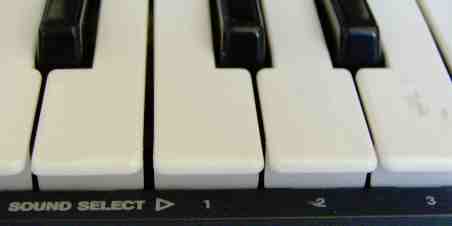 The
user interface of this little tablehooter is quite awkward; it has not
even individual volume control buttons but the tempo +/- buttons serve
this purpose when pressed while holding the "rhythm sel." button (which
normally selects preset rhythms on white keys). Preset sounds are selected
by holding "sound sel." and typing a 2 digit number with the white keys.
(Tip: The ciphers are written badly visible below the keys, but
the better visible note numbers "1" to "10" in the cyan row above the keys
are the same.) The coarse volume control is awkward to use; you have to
hold "rhythm sel." and change it with tempo +/- buttons. Fortunately the
PCB has trimmers for tuning and volume preset. You can add here a real
volume potentiometer or at least turn down the preset volume (very recommended),
because the given volume control badly reduces the (anyway low) bit resolution
of the sound.
The
user interface of this little tablehooter is quite awkward; it has not
even individual volume control buttons but the tempo +/- buttons serve
this purpose when pressed while holding the "rhythm sel." button (which
normally selects preset rhythms on white keys). Preset sounds are selected
by holding "sound sel." and typing a 2 digit number with the white keys.
(Tip: The ciphers are written badly visible below the keys, but
the better visible note numbers "1" to "10" in the cyan row above the keys
are the same.) The coarse volume control is awkward to use; you have to
hold "rhythm sel." and change it with tempo +/- buttons. Fortunately the
PCB has trimmers for tuning and volume preset. You can add here a real
volume potentiometer or at least turn down the preset volume (very recommended),
because the given volume control badly reduces the (anyway low) bit resolution
of the sound.
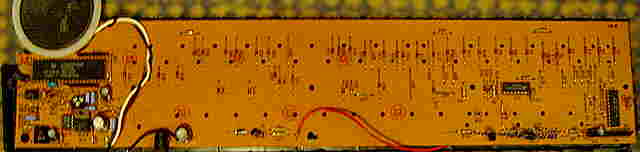
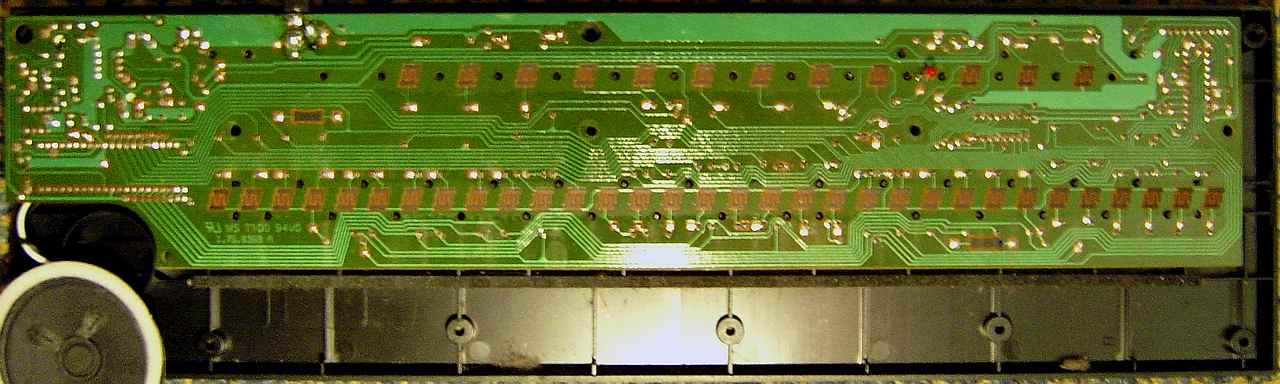
The CPU pinout (clock pins etc.) hints to a 16/32 bit DSP of the documented Texas Instruments TMS320C1x family. These may be TMS320C10 (288 byte RAM, 3KB ROM), TMS320C15 (512 byte RAM, 8KB ROM) or less likely TMS320C17 (which additionally supports serial and coprocessor port and µ-law/A-law (de)compression). At the CPU 'D' pins are 2 resistor arrays for keyboard matrix pullup.
attention: After dismantling this instrument, it can be only successfully re-assembled in a zero- gravity environment ;-) because always either the plastic buttons or the PCB will fall out depending on its actual position. To prevent this, use a strip of adhesive film from outside to hold the buttons in place while closing the case.
Despite the 50 main voice preset sounds include exciting names like "xilo spring", "analog", "fx piano", "cosmic" 1..3, "fantasy" 1..2, "fantasy piano", "peak" 1..2, "metal guitar" etc., they are all made from each a static digital waveform (Hammond- like timbres, possibly 2 mixed sine waves) combined with one of only few different attack- decay envelopes, thus most presets sound not remotely natural. It is not worth the effort to explain them in detail here, because at first hear they all simply resemble either cheap tooting analogue home organ tones or Rhodes piano sounds (with different decay rates), but unlike these they contain harsh digital aliasing noise. The preset sounds contain neither vibrato nor tremolo nor any pitch changes (not to say complex stuff like ringing mandolins) and with sustain off all notes stop immediately after releasing a key. I guess they employ only about 5 different envelopes {envelope- less toot, toot with slower attack rate, 3 differently fast decay envelopes}. Instead of this pseudo- sound- bank Bontempi better should have added 4 synth buttons (envelope +/- and timbre +/- like the "voice variator" on Yamaha PSS-80) to combine every waveform with every envelope in an easy and logical usable way. By the too high preset volume (gladly advertised as "high power speaker") the blatant sound flaws get even more obvious, because the thing always comes up at maximum volume after power- on, which makes the tiny speaker distort unless the digital volume control is set so low that the this way reduced bit resolution ruins the sound quality instead. Likely this was intended to yell together all shopping center customers to make them quickly turn their head and look for the sudden noise source, but I severely doubt that when found this made them in any way interested in buying one of these tablehooters - not to forget that it certainly made the shop staff as quickly decide to remove all batteries and power supply from such a roaring beast in the display shelf to make it stay quiet for the rest of the season until it collects dust.
The percussion sounds IMO really awful. The drums are a percussive popping very distorted noises (like smashing a microphone or the digital cracking ping noise from a broken audio CD that skips in an old CD player). The cymbals are made from a dull digital hiss that contains a harsh high beeping component and reminds to a fresh tinitus with water in the ear. With most rhythms the tempo can be only adjusted between medium low and medium high.
The chord sequencer is started by pressing "record". You can now play manual single finger chords in the middle section of the keyboard. Press "ecp/play" after every chord to store it. Press "record" or "full keyb." when you are finished. You can now step through the recorded chord sequence by pressing "ecp/play" during melody play (one key play, i.e. 1 chord per press). When you start a rhythm (press "start/stop"), instead of organ chords the automatic accompaniment will play in this mode. Press "full keyb." to end the chord mode (also stops rhythm). Annoying is that the auto-power-off erases the entered chord sequence. The accompaniments of different rhythms contain different sounds (1 for chord, 1 for bass); many employ sweetish, arpeggio- like patterns those may be nice for synth pop musics. (I don't own the manual of this thing, thus there might be still hidden features I don't know.)
The demo "It's a Groovy Kind of Love" sounds ok, but during demo the only working controls are power off and tempo +/-. So its volume can be only turned down before starting, and because the instrument powers on at almost full volume, starting the demo can be an ear tormenting surprise.
Predecessors of this instrument were the Bontempi ES 3100 and ES 3200. Successors include the Bontempi ET 202 (great effect sound and accompaniment) and Bontempi GT 509 (666 sound combinations). A bigger and slightly less awful sounding tablehooter based on the same sound hardware like ES 3300 (with even 160 way too similar sounds!) was the Bontempi KS 4600.
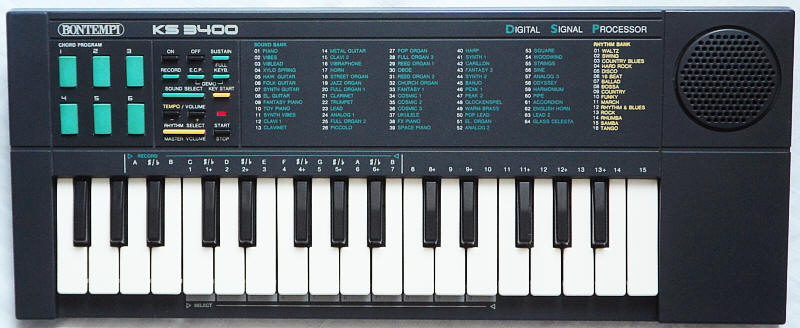
It has a slightly changed user interface with 64 sounds and 6 user assignable single finger chord buttons instead of the chord sequencer, but the rest (even demo) is the same. In unmodified state the speaker yells way too loud, and volume can not be set lower than medium despite it steals some DAC bit resolution.
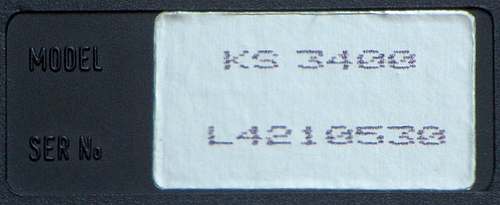
louder yelling small speaker 64 preset sounds rhythms selected by 2 digit numbers 6 chord buttons (user assignable) no chord sequencer CPU= "Texas Instruments COMUS2743233, D45002N, ©1987 TI LS 9033, 29206, Philippines" (40 pin DIL, likely TMS320C1x)
 |
 |
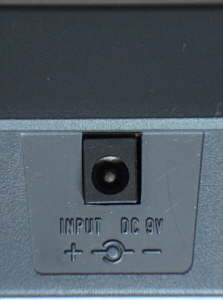 |
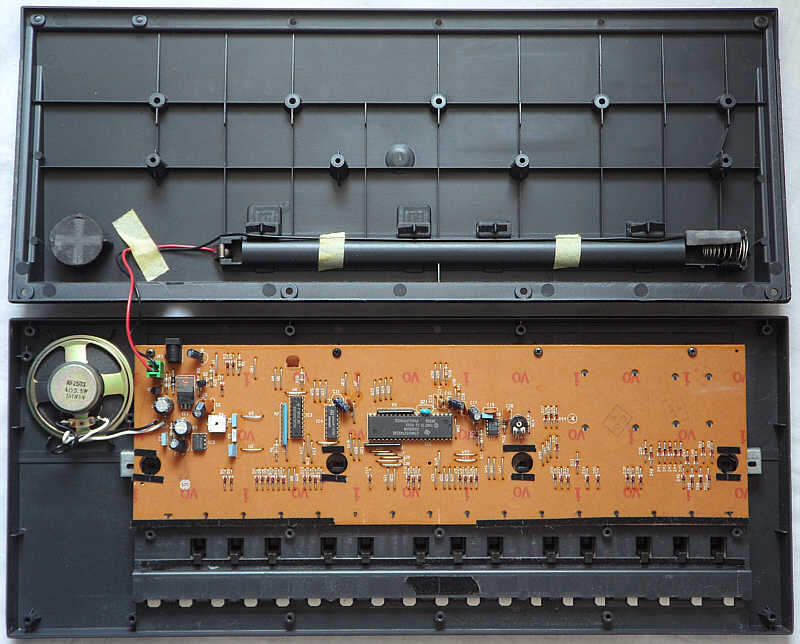 |
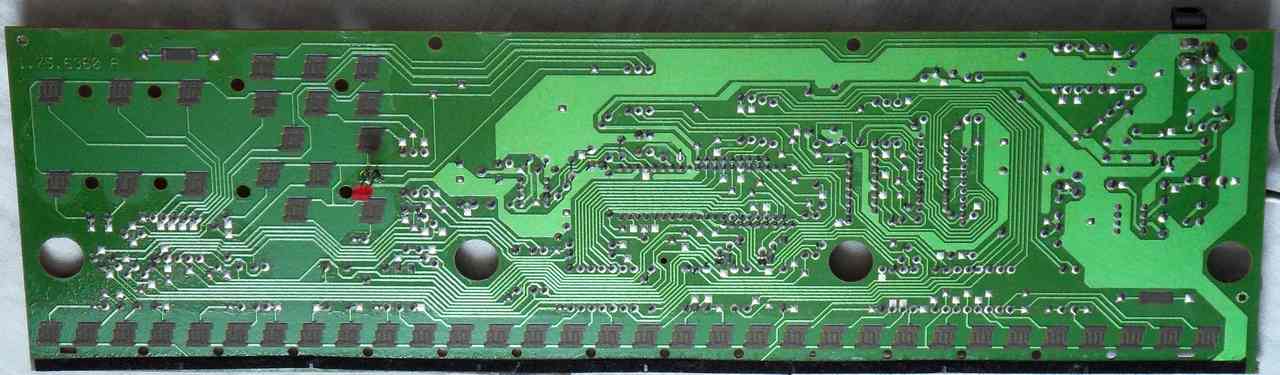 |
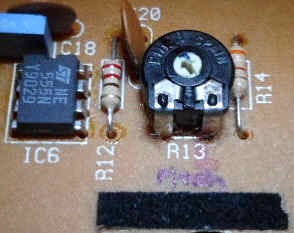
tuning trimmer |
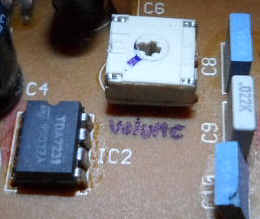
volume trimmer |
If I understand Bontempi software numbers correctly, the CPU is identical with ES 3300 and thus likely has the absent chord sequencer as an easteregg. Despite it is crystal clocked at 25 MHz, there is a tuning trimmer (R13). With trimmer R4 you can reduce the too loud preset volume (very recommended). (I haven't analyzed the hardware further yet.)
To assign chords to the buttons, press "record", which switches the
middle keyboard section into single finger chord mode. Play the chords
you want to assign and press for each of them the corresponding chord button.
Press "record" again to exit. Now the keys work normal again and the chord
buttons will play each their assigned chord (which holds after release).
To stop the chord, press "E.C.P.". With rhythm on, chord buttons play accompaniment.
Stupid is that pressing "E.C.P." stops the rhythm too. The "key start"
button seems to be a kind of synchro start; it starts rhythm with accompaniment
by pressing a non-empty (previously assigned) chord button. The chord or
accompaniment mode reduces main voice polyphony to 3 notes. Press "full
keyb." to return to normal mode (6 note polyphonic). The chord buttons
stay silent now, but the chords stay assigned and pressing "E.C.P." enables
chord mode again.
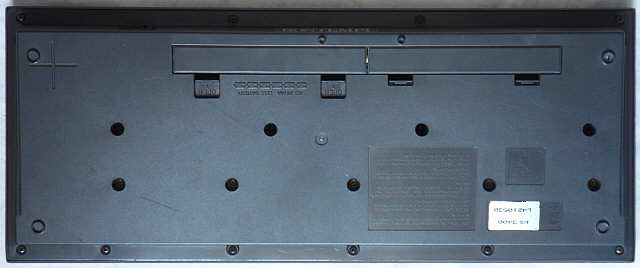
| removal of these screws voids warranty... | ||
 |
 |
|
|
|